# Trin-for-trin installation af version 11 i Windows

Denne side viser trin-for-trin hvordan du installerer Ancestris version 10 i Windows.

## <span class="mw-headline">Installér Ancestris </span><span class="mw-headline" id="bkmrk-install-ancestris%C2%A0-0">version 11</span>

Følg vejledningen nedenfor:

##### 1/4 - Download Ancestris

- Gå til [https://www.ancestris.org](https://www.ancestris.org)
- Klik på menuen 'DOWNLOAD'
- Klik på **Ancestris 11** knappen under Windows
- Downloadkan tage 3-4 minutter, den fylder ca. 139 Mb.

[![da-download-ancestris.png](https://docs.ancestris.org/uploads/images/gallery/2021-05/scaled-1680-/da-download-ancestris.png)](https://docs.ancestris.org/uploads/images/gallery/2021-05/da-download-ancestris.png)

##### 2/4 - Dobbeltklikpå den downloadede fil

- Ancestris 11 har en Set-up hjælp for Windows.

[![Ancestris10Setup-en-02.jpg](https://docs.ancestris.org/uploads/images/gallery/2020-07/scaled-1680-/Ancestris10Setup-en-02.jpg)](https://docs.ancestris.org/uploads/images/gallery/2020-07/Ancestris10Setup-en-02.jpg)

- Klik på **Næste**

[![Ancestris10Setup-en-03.jpg](https://docs.ancestris.org/uploads/images/gallery/2020-07/scaled-1680-/Ancestris10Setup-en-03.jpg)](https://docs.ancestris.org/uploads/images/gallery/2020-07/Ancestris10Setup-en-03.jpg)

- Acceptér aftalen og klik på **Næste**

[![Ancestris10Setup-en-04.jpg](https://docs.ancestris.org/uploads/images/gallery/2020-07/scaled-1680-/Ancestris10Setup-en-04.jpg)](https://docs.ancestris.org/uploads/images/gallery/2020-07/Ancestris10Setup-en-04.jpg)

- Vælg hvor du vil placere installationen

<p class="callout warning">Stien må ikke have tegn eller specialkarakterer.</p>

- Klik på **Næste**

[![Ha1Ancestris10Setup-en-05.jpg](https://docs.ancestris.org/uploads/images/gallery/2020-07/scaled-1680-/Ha1Ancestris10Setup-en-05.jpg)](https://docs.ancestris.org/uploads/images/gallery/2020-07/Ha1Ancestris10Setup-en-05.jpg)

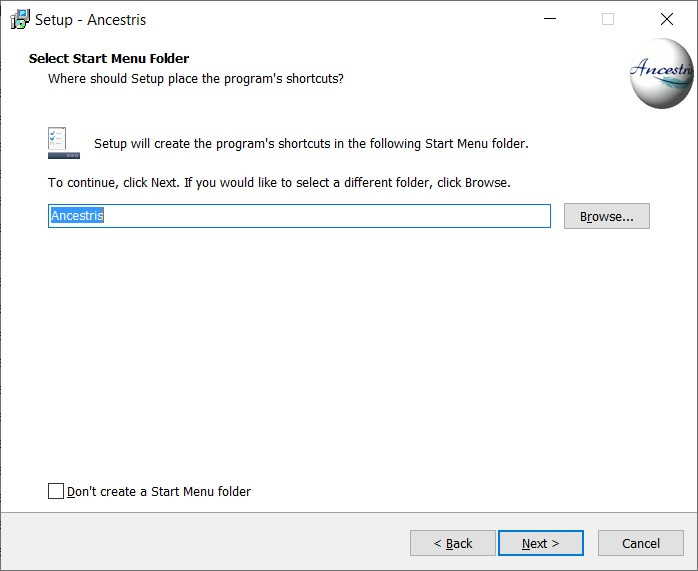
- Opret en genvej i "Start" Menuen.
- Du kan vælge IKKE at oprette en genvej ved at sætte hak i boksen nederst til venstre.
- Klik på **Næste**

[![Ancestris10Setup-en-06.jpg](https://docs.ancestris.org/uploads/images/gallery/2020-07/scaled-1680-/Ancestris10Setup-en-06.jpg)](https://docs.ancestris.org/uploads/images/gallery/2020-07/Ancestris10Setup-en-06.jpg)
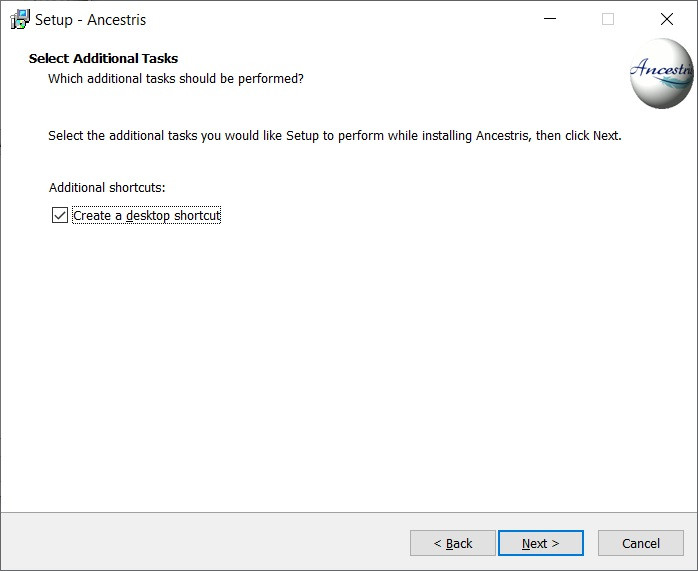
- Sæt hak for at oprette genvej på skrivebordet.
- Klik på **Næste**

[![Ancestris10Setup-en-07.jpg](https://docs.ancestris.org/uploads/images/gallery/2020-07/scaled-1680-/Ancestris10Setup-en-07.jpg)](https://docs.ancestris.org/uploads/images/gallery/2020-07/Ancestris10Setup-en-07.jpg)
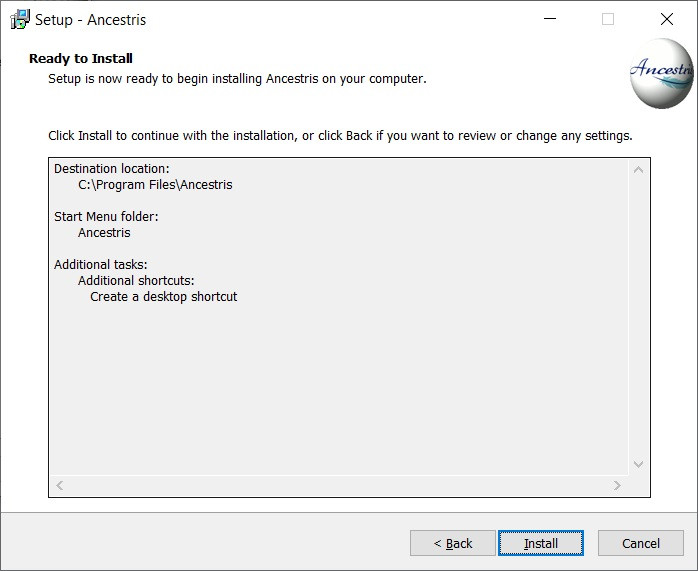
- Klik på **Installér**

[![Ancestris10Setup-en-08.jpg](https://docs.ancestris.org/uploads/images/gallery/2020-07/scaled-1680-/Ancestris10Setup-en-08.jpg)](https://docs.ancestris.org/uploads/images/gallery/2020-07/Ancestris10Setup-en-08.jpg)
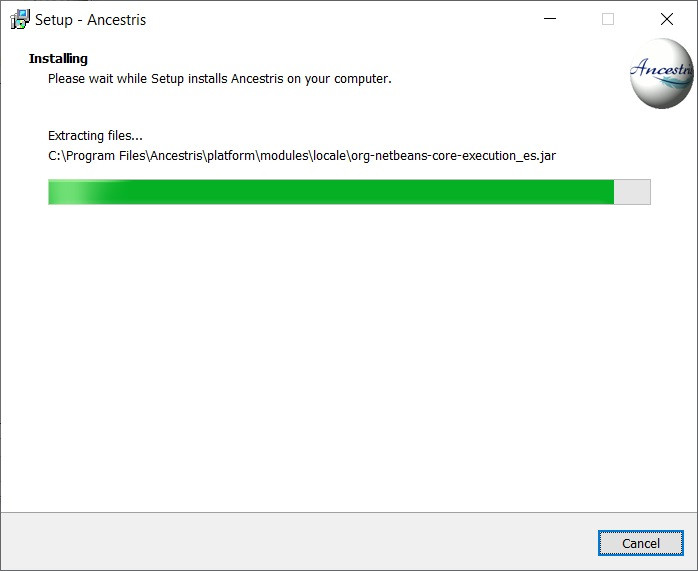
- Nu er programmet installeret på din computer.

[![Ancestris10Setup-en-09.jpg](https://docs.ancestris.org/uploads/images/gallery/2020-07/scaled-1680-/Ancestris10Setup-en-09.jpg)](https://docs.ancestris.org/uploads/images/gallery/2020-07/Ancestris10Setup-en-09.jpg)
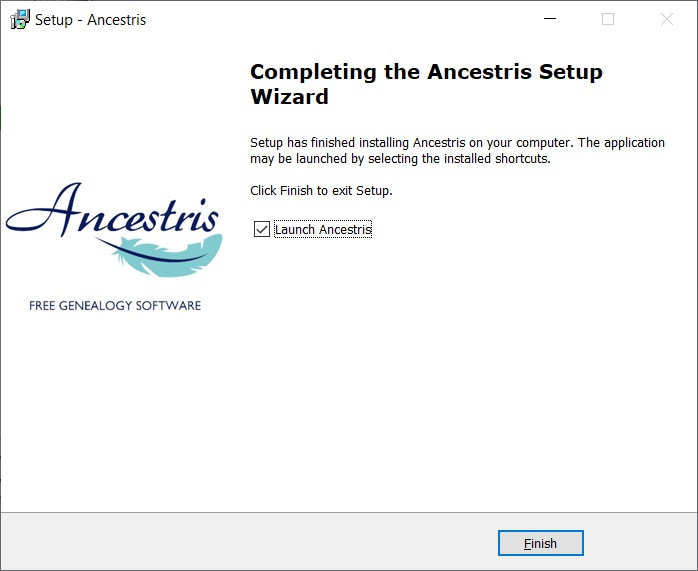
- Du kan starte programmet ved at sætte hak i 'start n' boksen.

##### 3/4 - Klik på genvejen og Ancestris starter.

![Ancestris_start.png](https://docs.ancestris.org/uploads/images/gallery/2020-06/scaled-1680-/Ancestris_start.png)

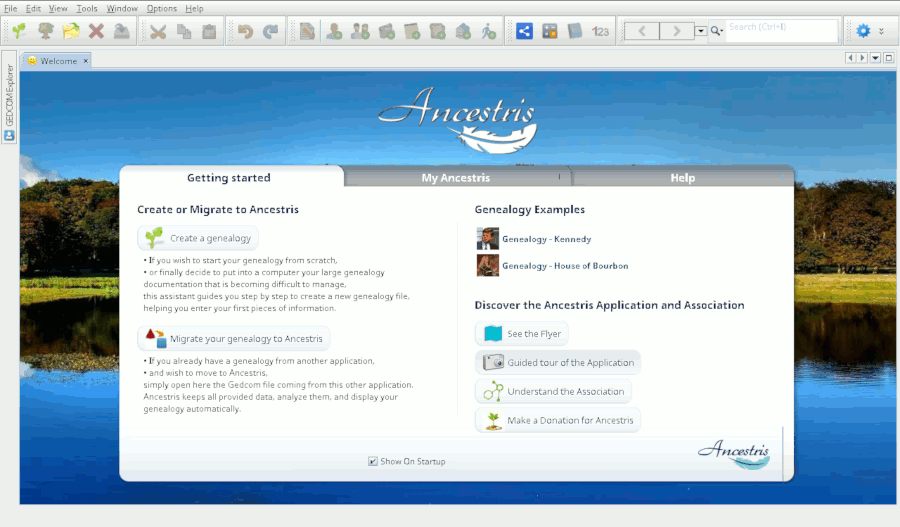
##### 4/4 -Du møder velkomstsiden. Nu er du klar til at bruge Ancestris.

[![en_Accueil10.png](https://docs.ancestris.org/uploads/images/gallery/2021-02/scaled-1680-/en_Accueil10.png)](https://docs.ancestris.org/uploads/images/gallery/2021-02/en_Accueil10.png)