# Step-by-step installation of version 11 on Windows

This page shows step-by-step how to install Ancestris version 10 on a Windows system.

## <span class="mw-headline">Install Ancestris </span><span class="mw-headline" id="bkmrk-install-ancestris%C2%A0-0">version 11</span>

Follow the instructions below.

##### 1/4 - DownloadAncestris

- Go to [https://www.ancestris.org](https://www.ancestris.org)
- Click on 'DOWNLOAD' in the menu
- Click on the **Ancestris 11** button of the Windows panel.
- Downloading may take 3 to 4 minutes as it is about 139 Mb.

[![de-download-ancestris.png](https://docs.ancestris.org/uploads/images/gallery/2021-05/scaled-1680-/de-download-ancestris.png)](https://docs.ancestris.org/uploads/images/gallery/2021-05/de-download-ancestris.png)

##### 2/4 - Double-click on the downloaded file

- Ancestris 10 has a setup wizard for Windows.

[![Ancestris10Setup-en-02.jpg](https://docs.ancestris.org/uploads/images/gallery/2020-07/scaled-1680-/Ancestris10Setup-en-02.jpg)](https://docs.ancestris.org/uploads/images/gallery/2020-07/Ancestris10Setup-en-02.jpg)

- Click on **Next**

[![Ancestris10Setup-en-03.jpg](https://docs.ancestris.org/uploads/images/gallery/2020-07/scaled-1680-/Ancestris10Setup-en-03.jpg)](https://docs.ancestris.org/uploads/images/gallery/2020-07/Ancestris10Setup-en-03.jpg)

- Accept the agreement then click on **Next**

[![Ancestris10Setup-en-04.jpg](https://docs.ancestris.org/uploads/images/gallery/2020-07/scaled-1680-/Ancestris10Setup-en-04.jpg)](https://docs.ancestris.org/uploads/images/gallery/2020-07/Ancestris10Setup-en-04.jpg)

- Choose an install path.

<p class="callout warning">The path shouldn't have any accent not special caracters.</p>

- Then click on **Next**

[![Ha1Ancestris10Setup-en-05.jpg](https://docs.ancestris.org/uploads/images/gallery/2020-07/scaled-1680-/Ha1Ancestris10Setup-en-05.jpg)](https://docs.ancestris.org/uploads/images/gallery/2020-07/Ha1Ancestris10Setup-en-05.jpg)

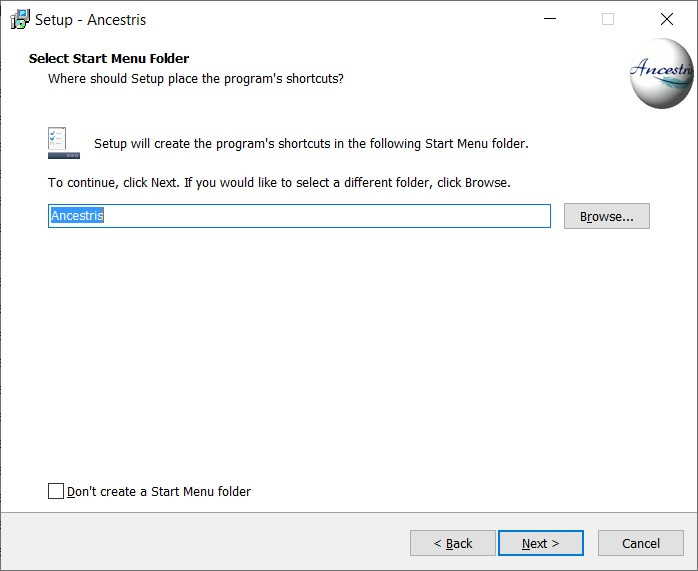
- Define a name for the short-cut in "Start" Menu.
- You can choose not to create any short-cut with the check-box on the bottom of the screen.
- Then click on **Next**

[![Ancestris10Setup-en-06.jpg](https://docs.ancestris.org/uploads/images/gallery/2020-07/scaled-1680-/Ancestris10Setup-en-06.jpg)](https://docs.ancestris.org/uploads/images/gallery/2020-07/Ancestris10Setup-en-06.jpg)
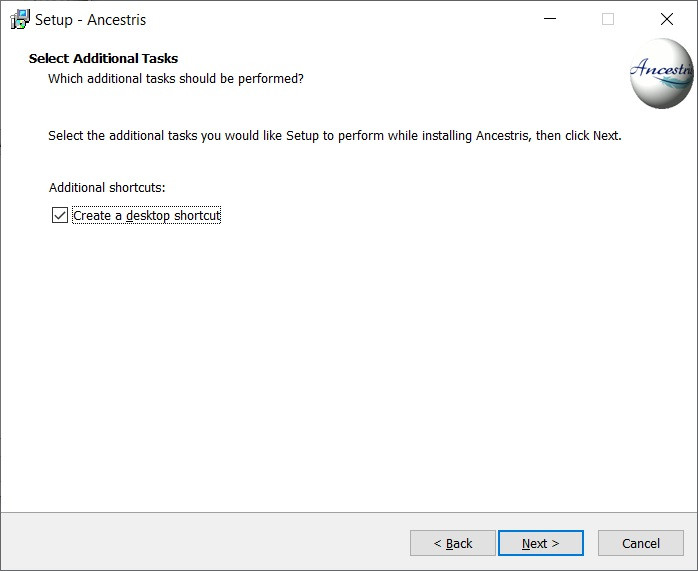
- Check the box to create a short-cut on the desktop.
- Then click on **Next**

[![Ancestris10Setup-en-07.jpg](https://docs.ancestris.org/uploads/images/gallery/2020-07/scaled-1680-/Ancestris10Setup-en-07.jpg)](https://docs.ancestris.org/uploads/images/gallery/2020-07/Ancestris10Setup-en-07.jpg)
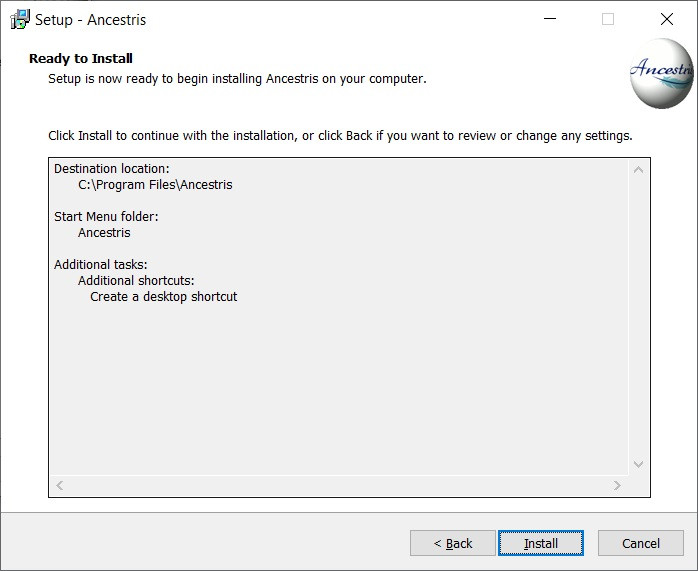
- Click on **Install**

[![Ancestris10Setup-en-08.jpg](https://docs.ancestris.org/uploads/images/gallery/2020-07/scaled-1680-/Ancestris10Setup-en-08.jpg)](https://docs.ancestris.org/uploads/images/gallery/2020-07/Ancestris10Setup-en-08.jpg)
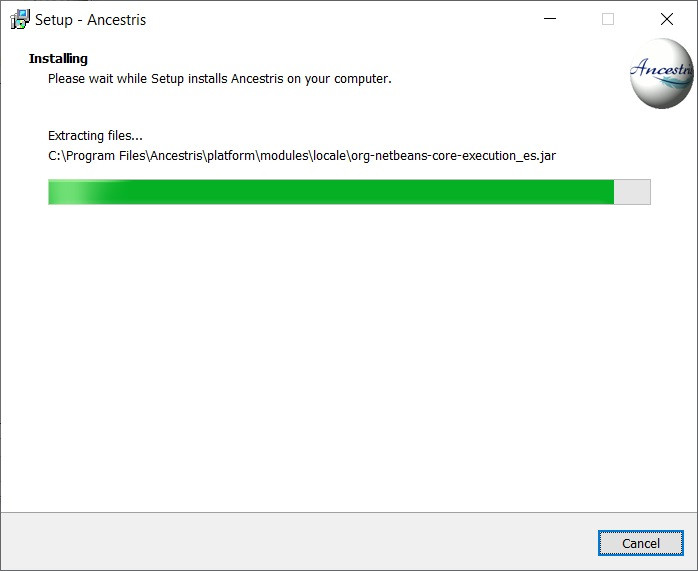
- The software is installed on your computer.

[![Ancestris10Setup-en-09.jpg](https://docs.ancestris.org/uploads/images/gallery/2020-07/scaled-1680-/Ancestris10Setup-en-09.jpg)](https://docs.ancestris.org/uploads/images/gallery/2020-07/Ancestris10Setup-en-09.jpg)
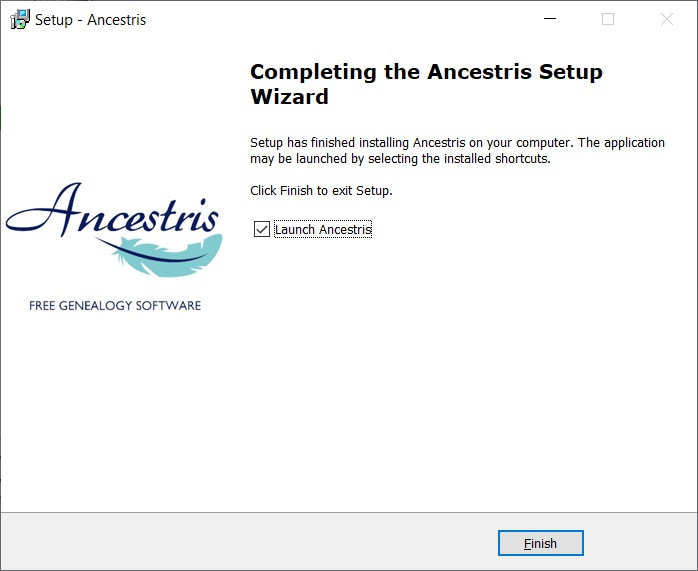
- You can launch directly the application with the "Launch Ancestris" check-box

##### 3/4 - Click the short-cut and Ancestris then starts.

![Ancestris_start.png](https://docs.ancestris.org/uploads/images/gallery/2020-06/scaled-1680-/Ancestris_start.png)

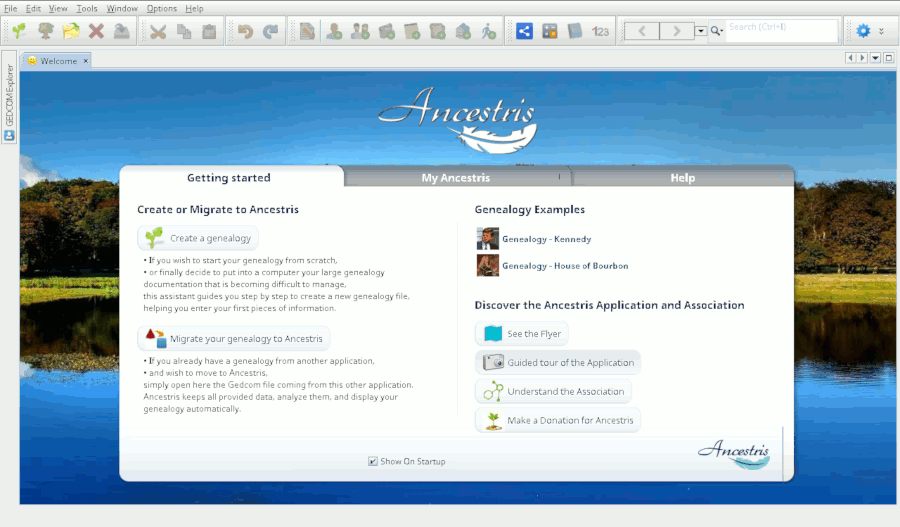
##### 4/4 -The Welcome page then appears. You are now ready to use Ancestris.

[![en_Accueil10.png](https://docs.ancestris.org/uploads/images/gallery/2021-02/scaled-1680-/en_Accueil10.png)](https://docs.ancestris.org/uploads/images/gallery/2021-02/en_Accueil10.png)