# Getting started: create or migrate
## [ Create your genealogy](https://docs.ancestris.org/books/user-guide/page/create-your-genealogy "Create your genealogy")
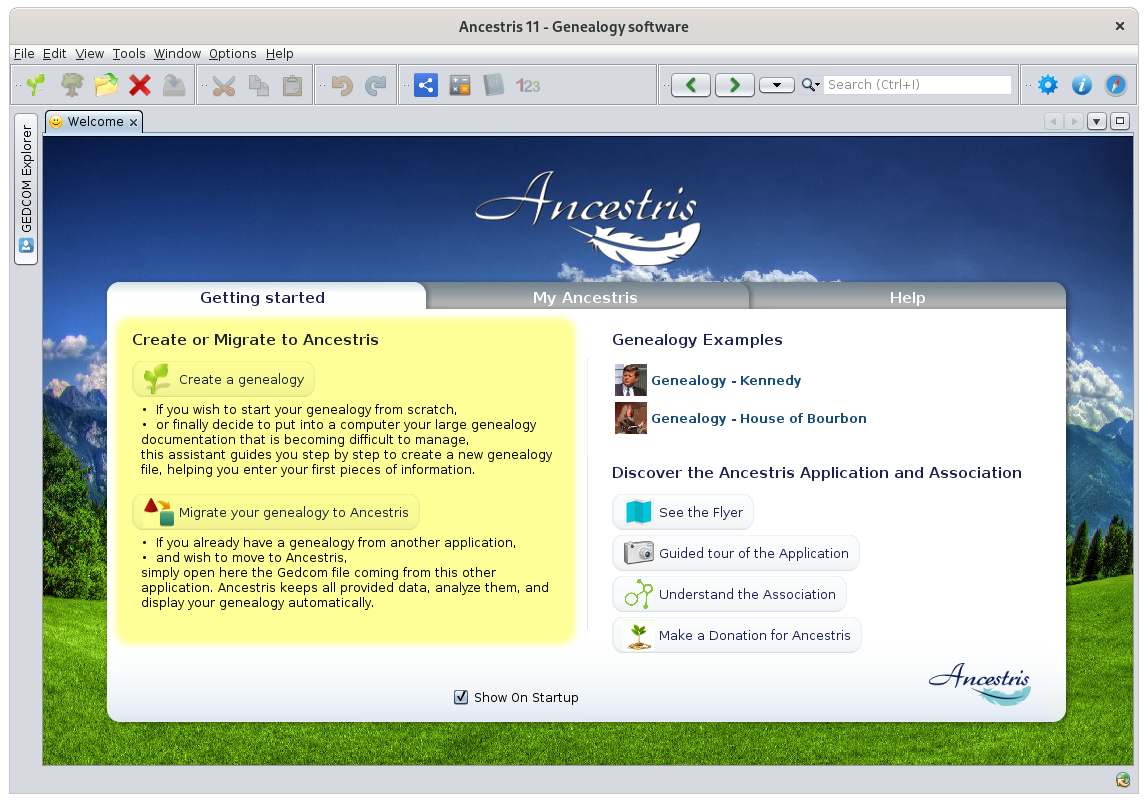
If you feel like starting your own genealogy, or convert your paper genealogy to a computer as it has become too difficult to manage by hand, a wizard will guide you to create a new genealogy file step by step, including your first individuals.
## [Migrate your genealogy to Ancestris](https://docs.ancestris.org/books/user-guide/page/migrate-your-genealogy-to-ancestris-%28lm%29 "Migrate your genealogy to Ancestris")
If you already use another genealogy software and aim to move it to Ancestris, it is as simple as opening a Gedcom file exported by this other software. Ancestris will keep all the exported data, analyse it, and display it automatically. If the data is clean, you will not have to do anything more.
---
Both situations can be handled from the [Welcome page](https://docs.ancestris.org/books/user-guide/page/welcome-page-%28l%29 "Welcome Page"), like the one shown below. They can also be done from the [File menu](https://docs.ancestris.org/books/user-guide/page/file-menu-%28l%29 "File Menu"), or using the buttons on the [Toolbar](https://docs.ancestris.org/books/user-guide/page/toolbar-%28l%29 "Toolbar").
[](https://docs.ancestris.org/uploads/images/gallery/2020-09/en-create-or-migrate.png)